
Please Note: Clicking on an image will take you to a higher resolution version of the image you clicked on.
2026-05-18: This project came my way from my sister; The task is simple - make it work again! At this point the unit does not turn on - she thought she may have damaged it by plugging it into a smart charger.
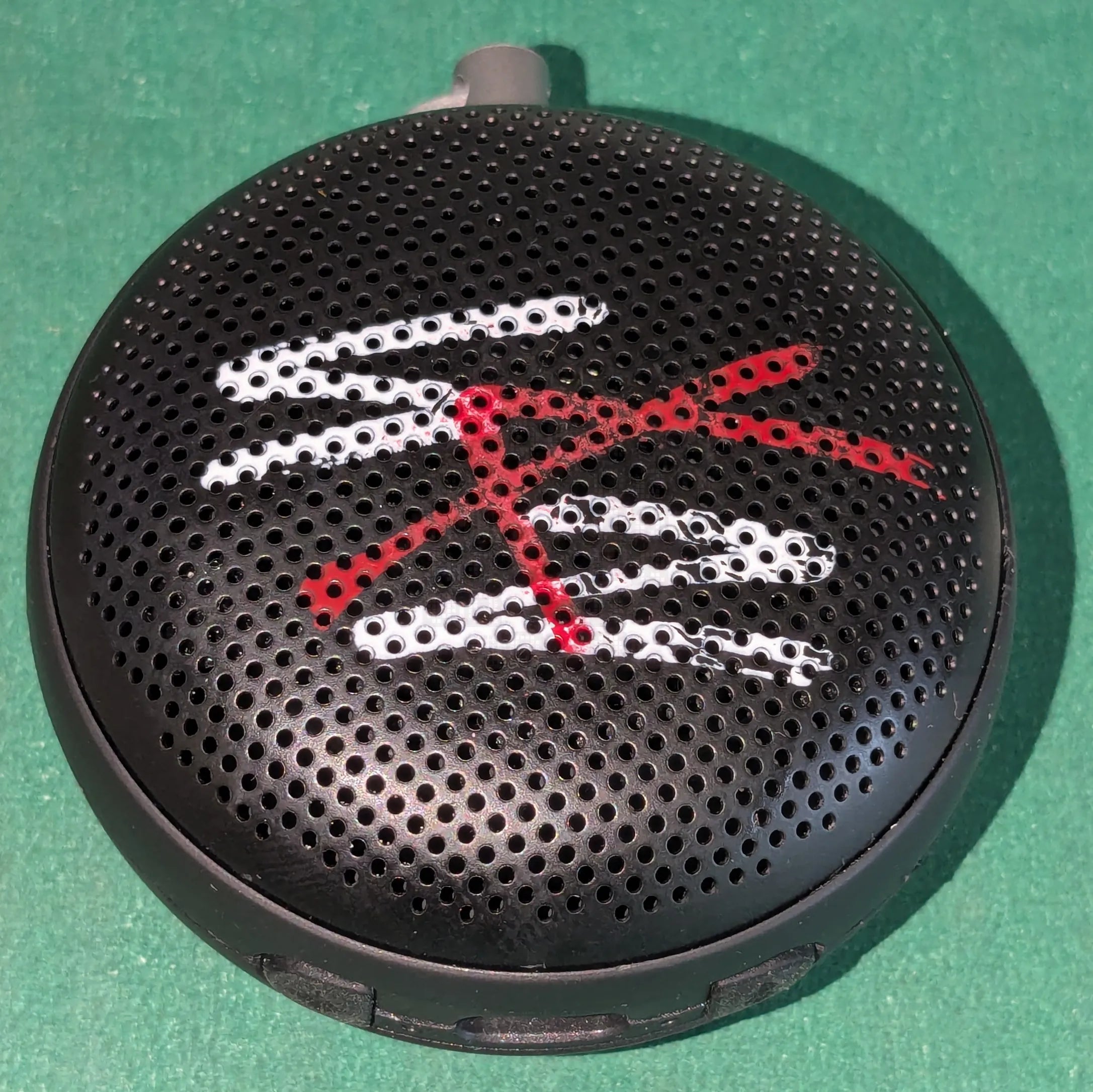
Speaker side of unit. Disassembly was started by heating it a little and realizing that the two halves do not split as expected. Instead, by happy accident, the grill fell off when I flipped it over after heating it.
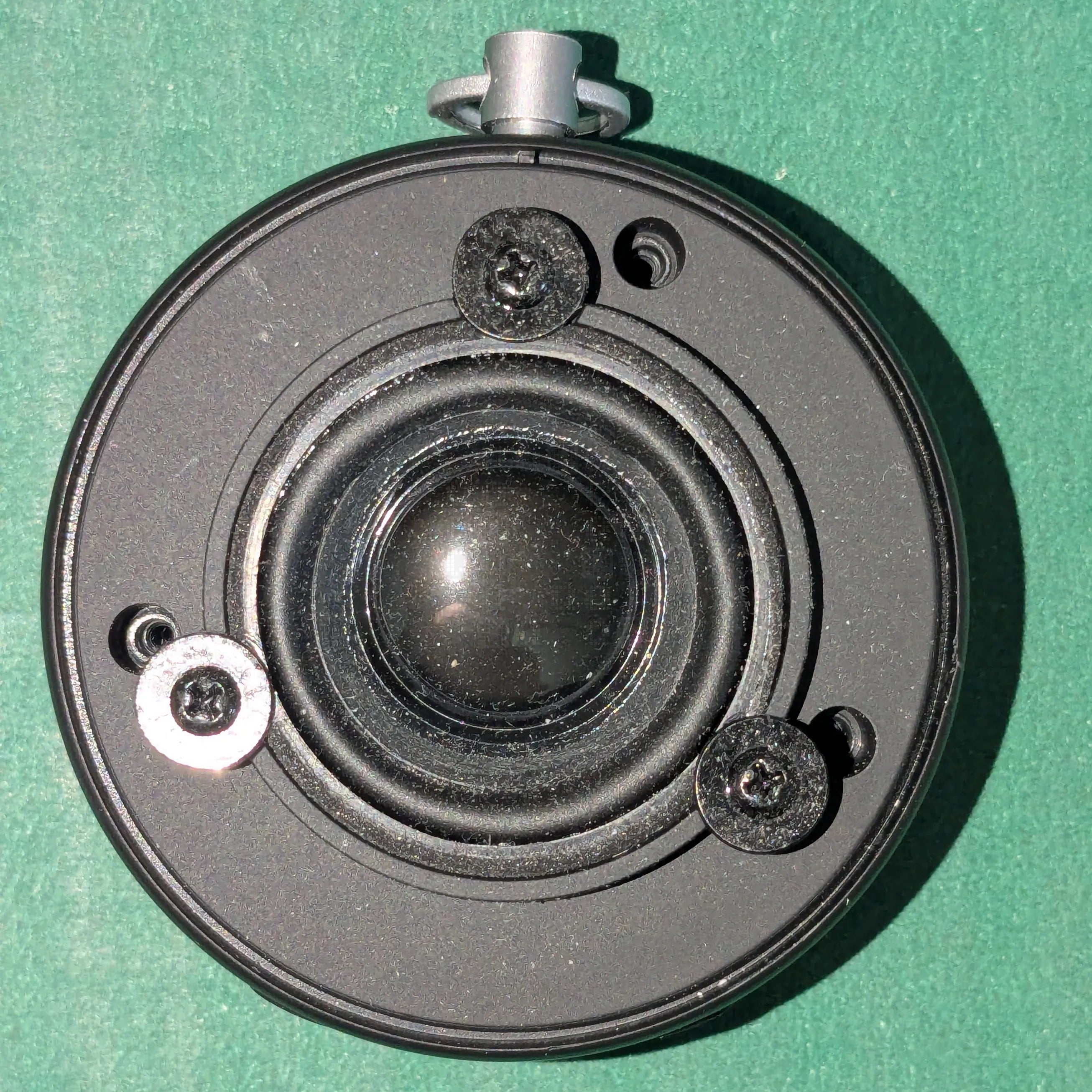
Once the grill has been removed, we're greeted with 3 large head screws - they hold the speaker in place. There are also 3 recessed screws which keep the two halves together. (already removed in this photo)
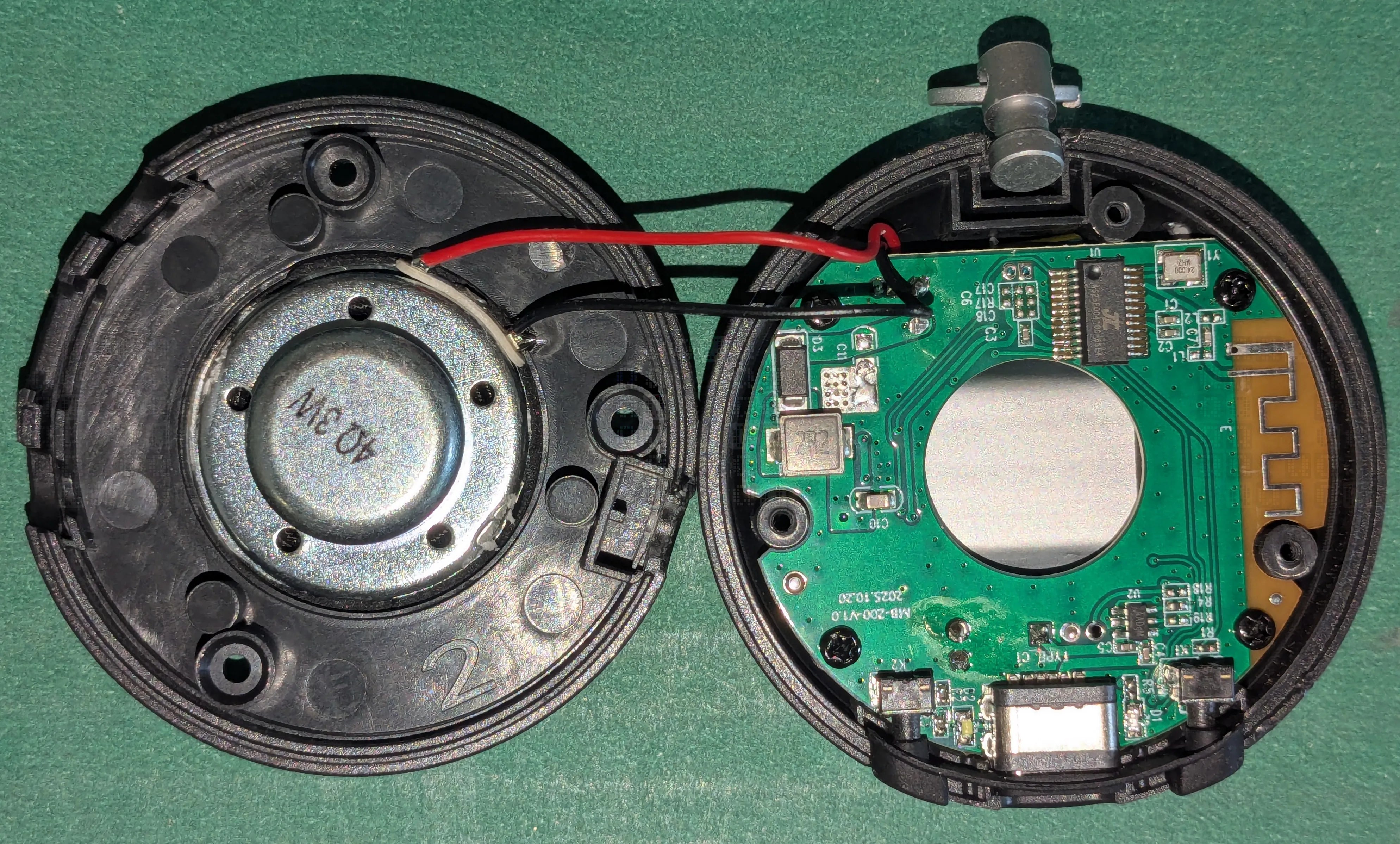
And now we are inside the unit. Bluetooth antenna is on the right of the main circuit board. This unit has a surprisingly large 3-Watt Speaker! 4 screws hold the circuit board down.
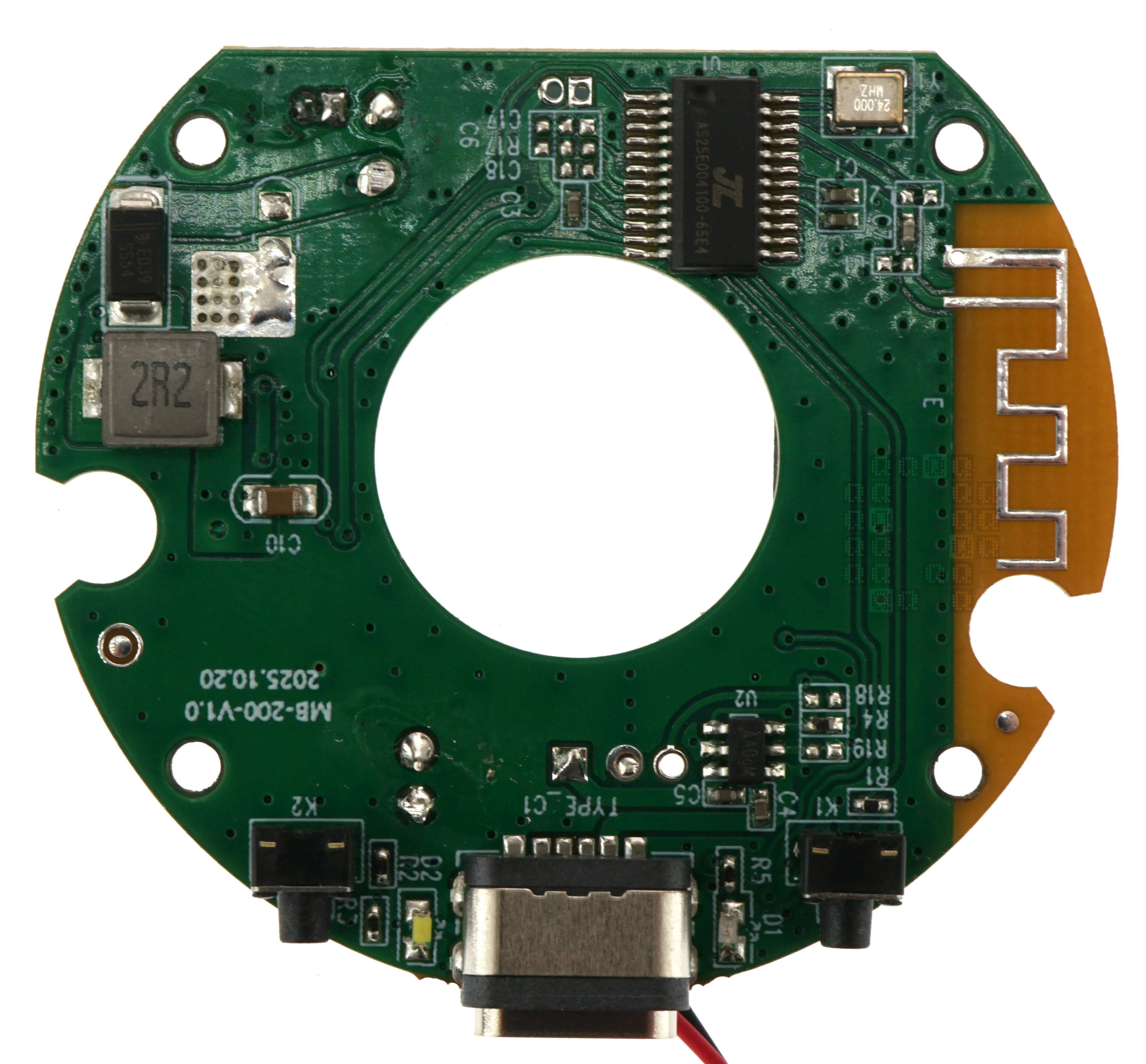
Circuit Board Top Side. Markings on the board "MB-200-V1.0" and "2025.10.20". Bottom Center is the USB-C Connector flanked by two LEDs (D1 & D2) and then two pushbuttons (K1 & K2). To the right is the antenna. Upper right is the microcontroller.
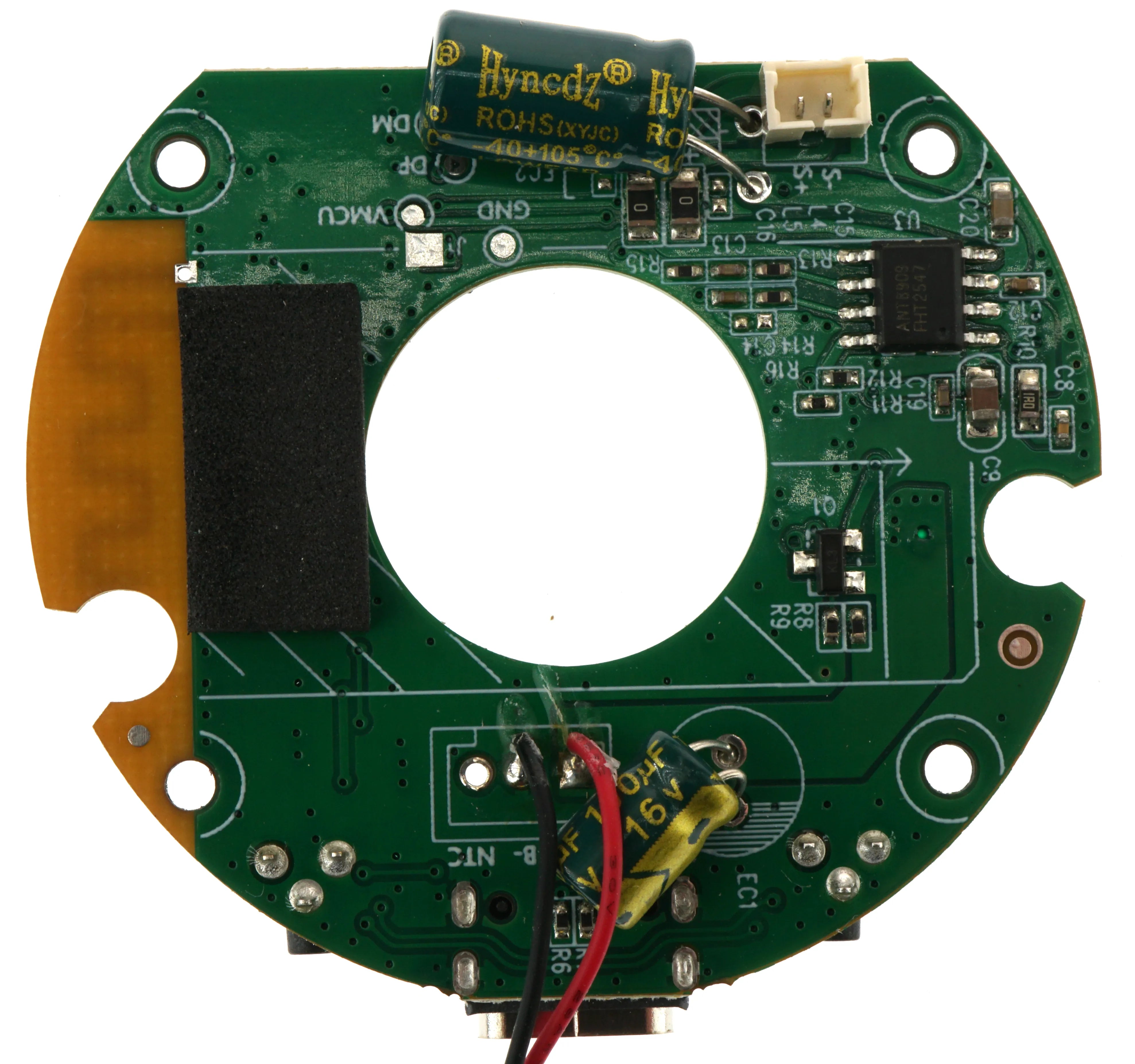
Circuit Board Bottom Side. Red & Black wires go to the Li-ion Battery. Connector at the top-right is for the speaker (S- & S+). The large capacitor is there to provide a little extra power capacity to the amplifier IC (U3).
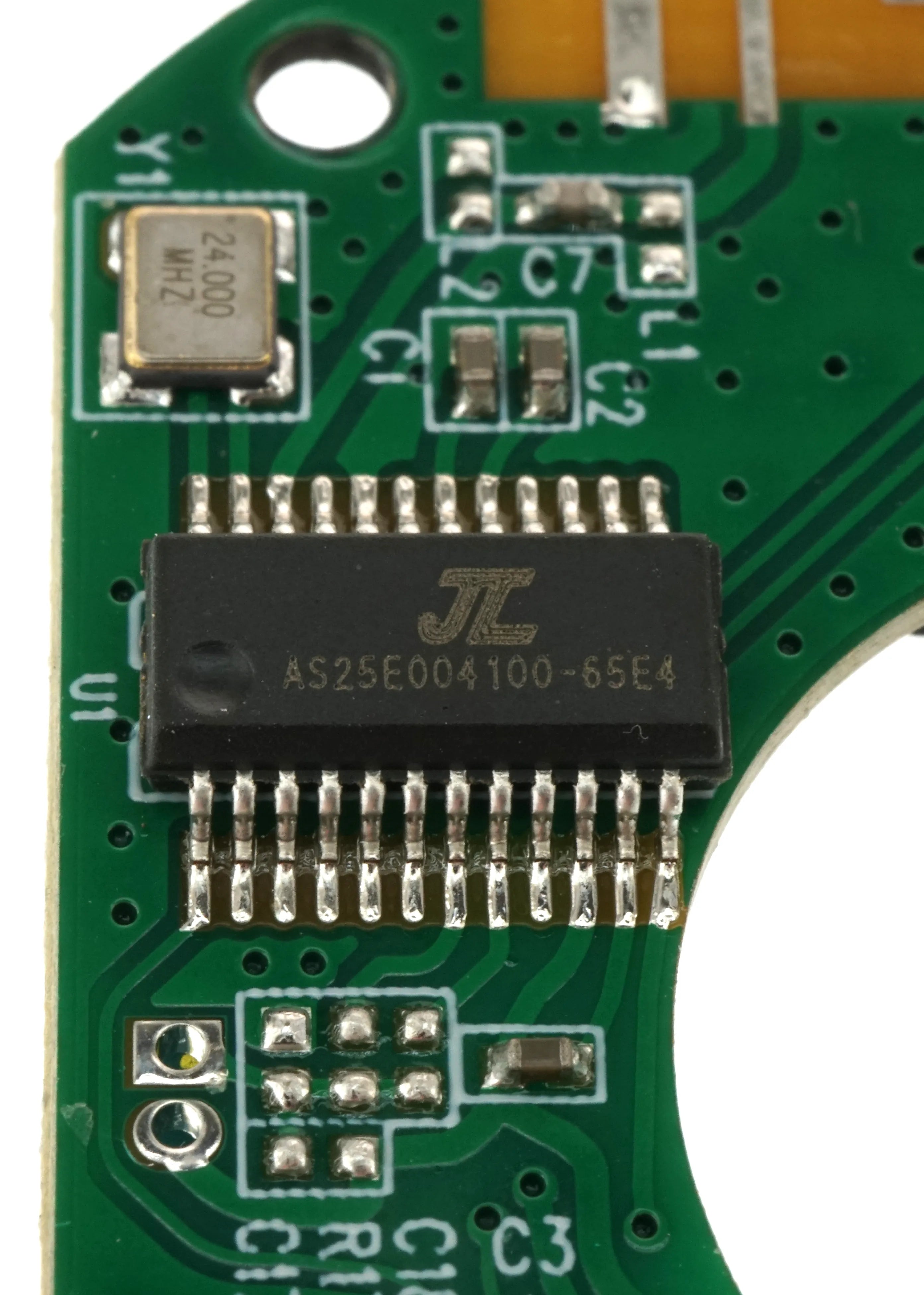
U1: JL AS25E004100-65E4 Unfortunately I am not finding any info on this IC; Some people online think this may be a custom programmed JL AC6905A RISC CPU. The pinout definitely meshes and it has all the right features for this application (USB Controller, 16-bit stereo DAC, Full Bluetooth control, FM Tuner, etc)
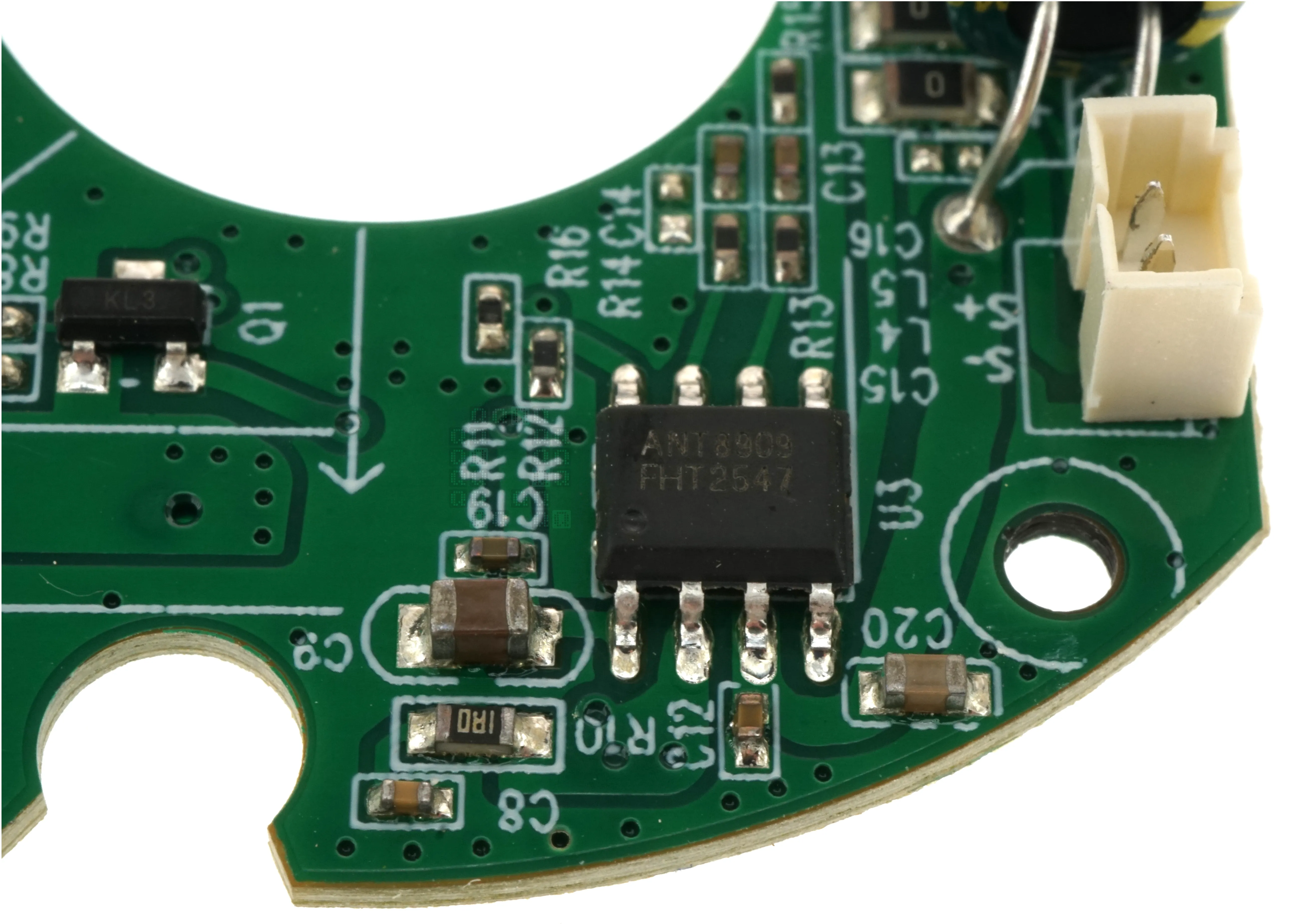
U3: ANT8909 10.5-Watt High Efficiency Boost Converter with Single Channel Class G Audio Power Amplifier Here is a link (PDF, 1.74MB) to a datasheet passed through Google Translate. I think we can safely assume that this is not a problem area for now.
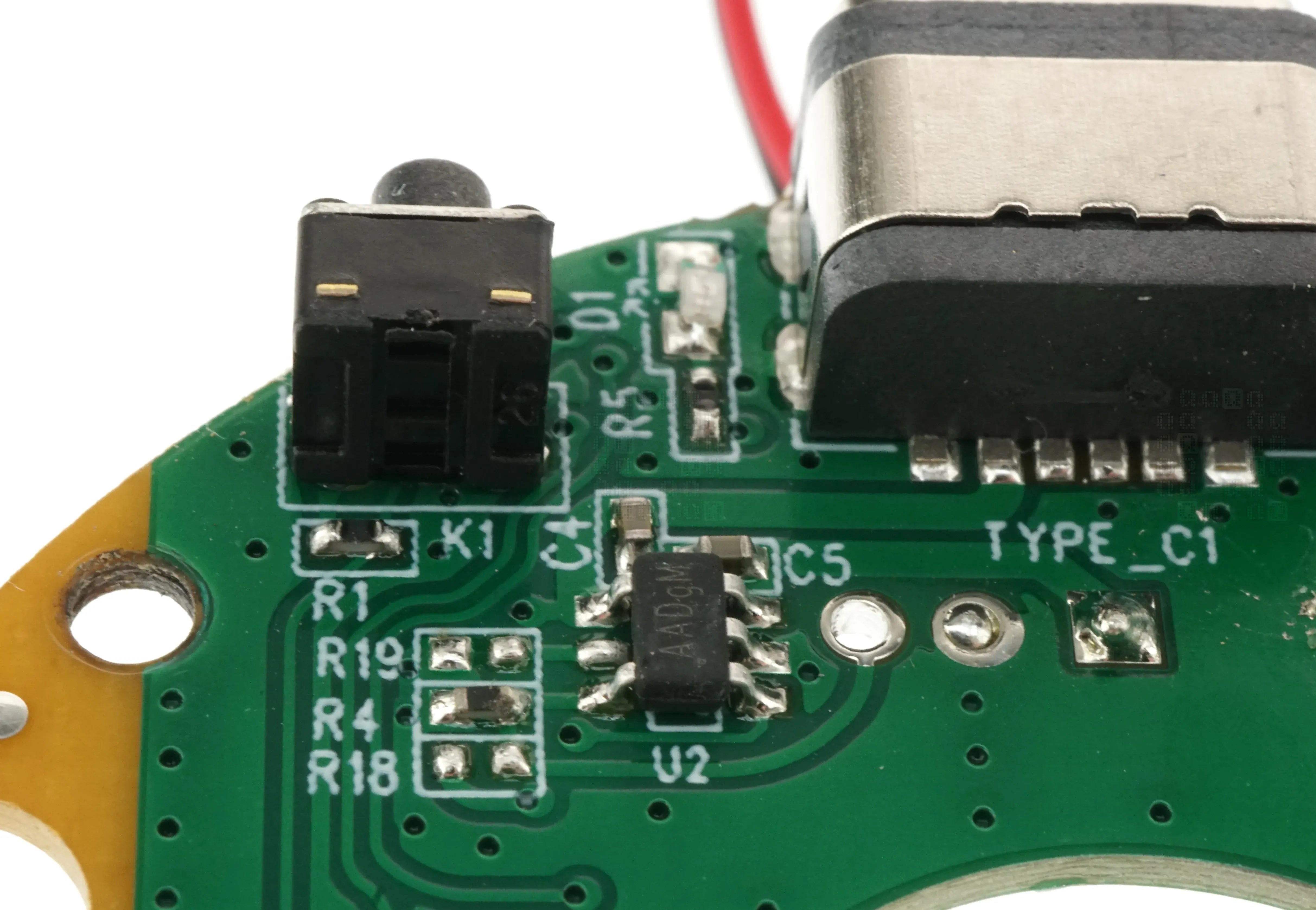
U2: AADgM; Haven't found a datasheet yet on this, but I think we can safely conclude that this is the power management IC; it should handle switching between Battery and USB power and also handle charging and discharge protection. This is where I want to start checking. (right after I look at the battery.) Hmm. No thermistor connection to the battery? I hope it has built in protection...
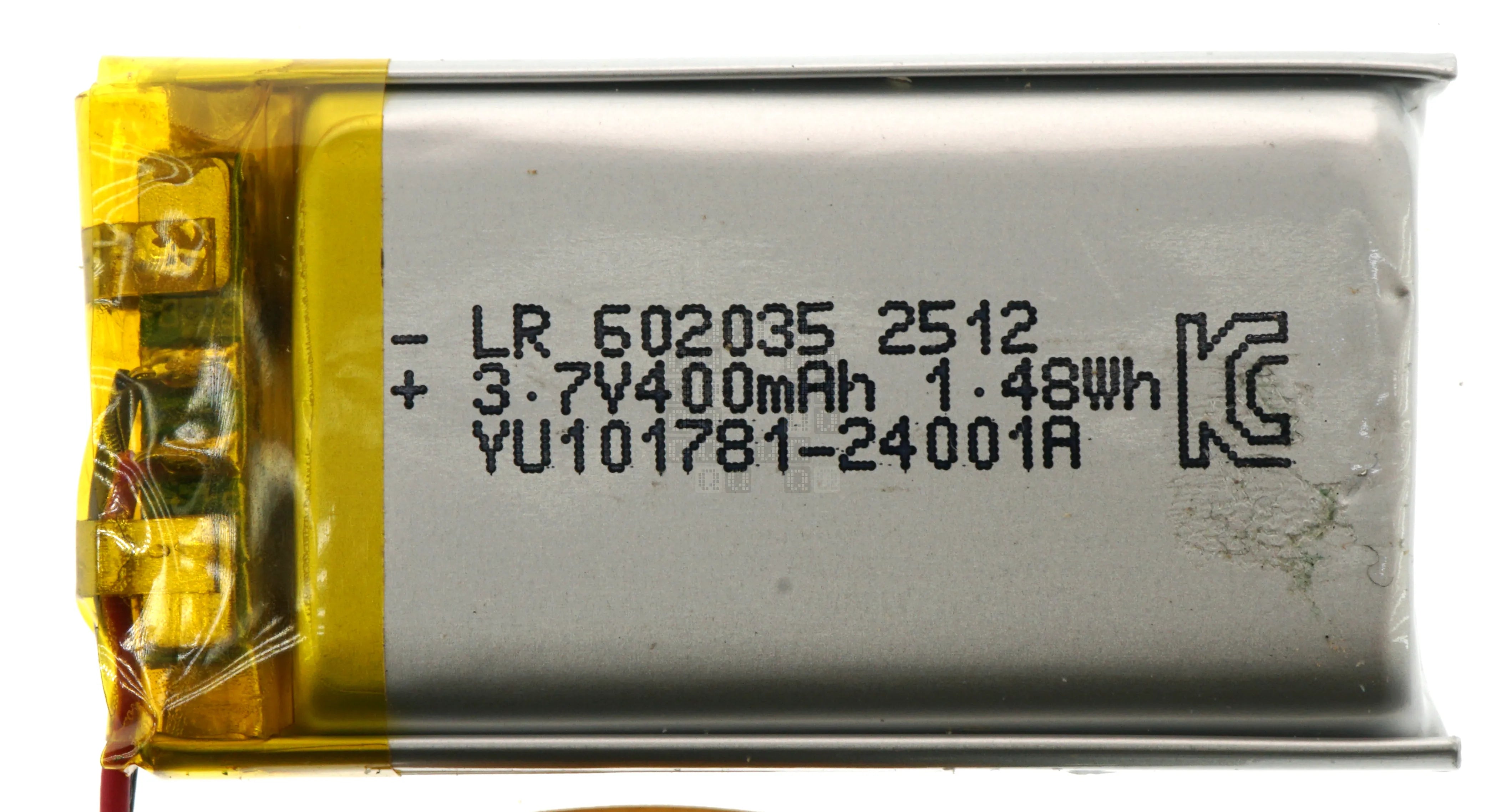
Talking about the Battery; 3.7V 400mAh 1.48Wh. Part Number YU101781-24001A
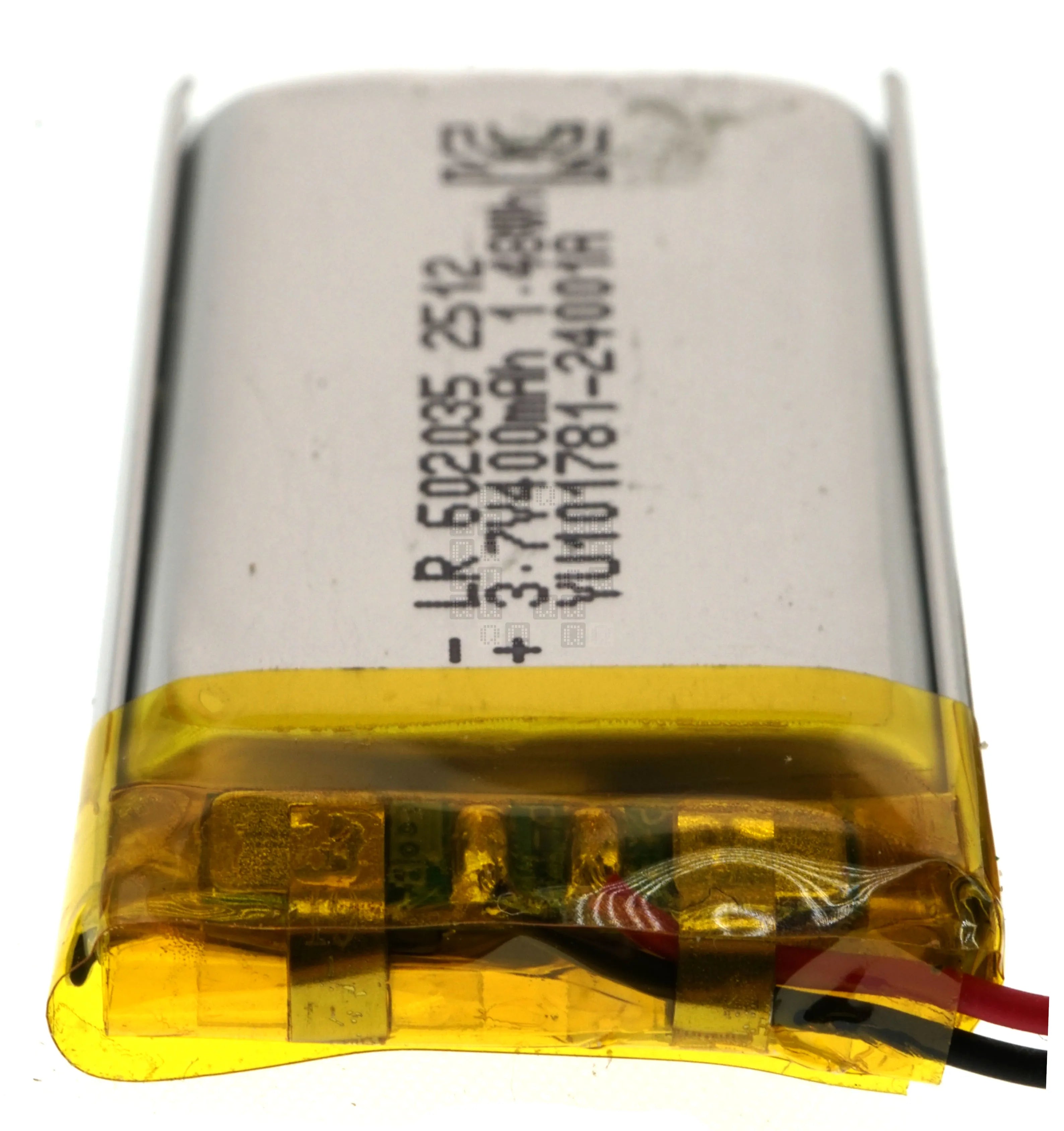
Unfortunately I cannot do destructive reverse engineering on this one. I don't see anything on the circuit board except connections. Hmm...

and while I'm thinking about it. Here are links to the scanned original User's Manual in Korean (PDF, 3.73MB) and the Google Translated English Version (PDF, 1.08MB)
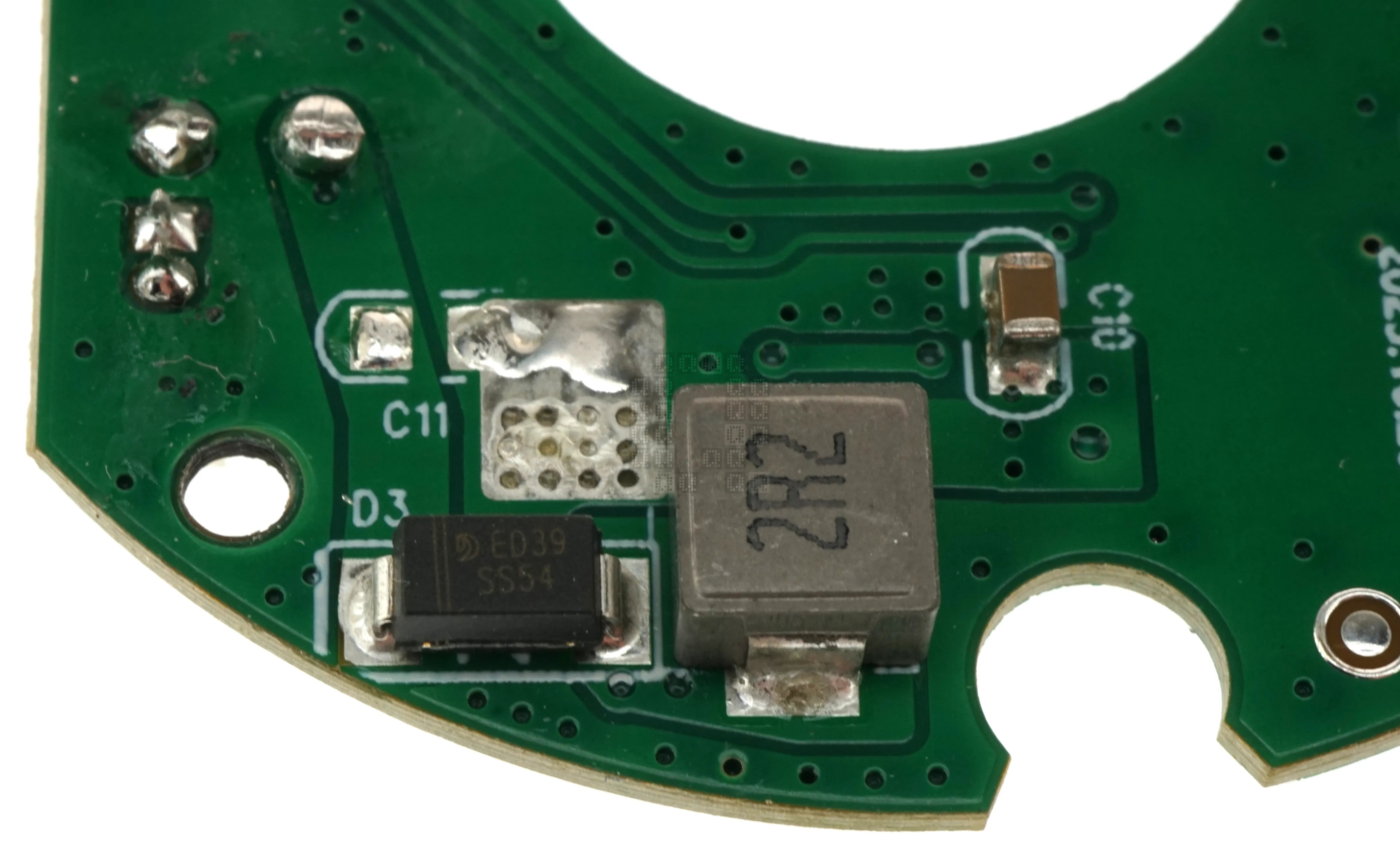
Getting back to the board: There is a random inductor and diode with a transistor (Q1) on the opposite side of the board. Almost every time I see these, they are tied to a buck/boost circuit. I didn't diagram the circuit to check if that is the case here though.
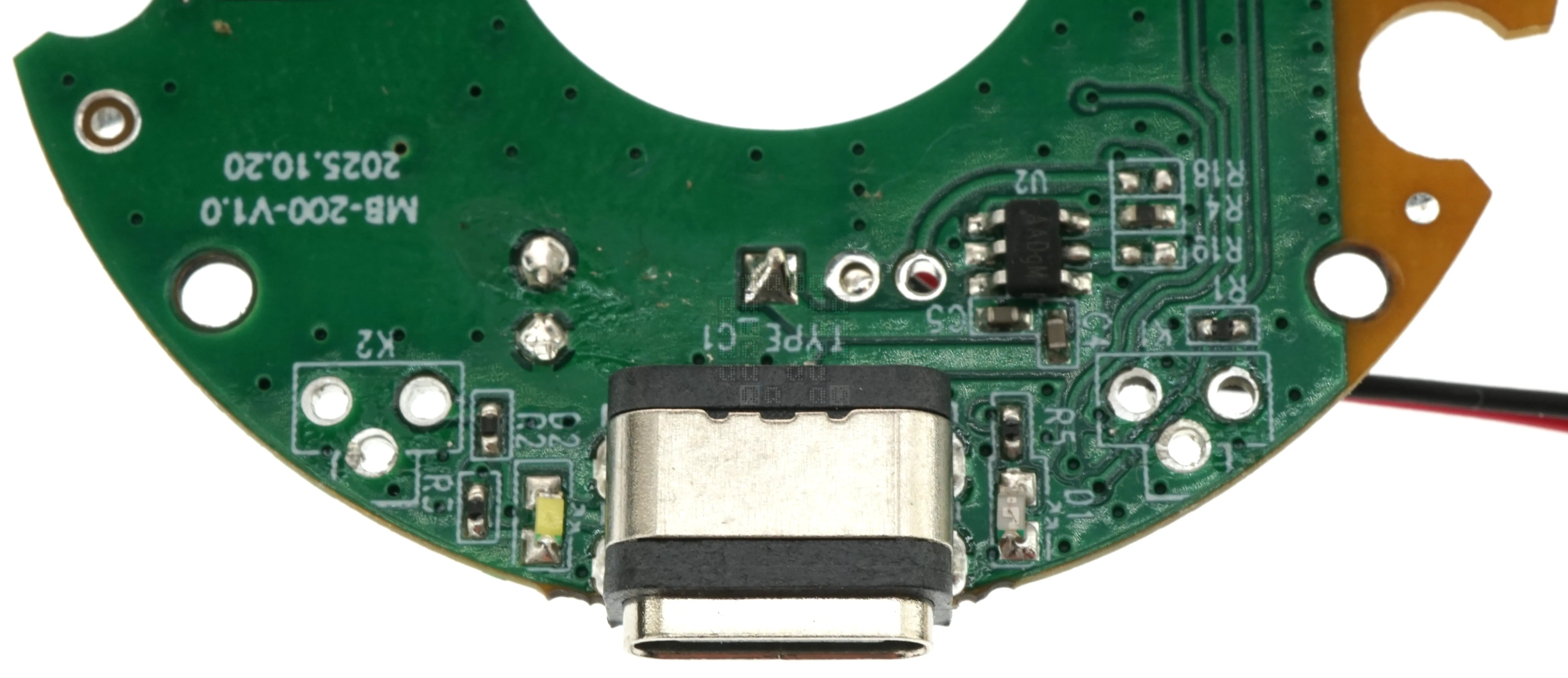
I'm going to skip a BUNCH of troubleshooting... In short, power goes exactly where it is supposed to. There are two test pads - GND and VMCU which are tied to U1 and power is there. So I scratched my head and asked the next question: How do you turn it on? (which resulted in the translated manual above) K1 is the answer...and it wasn't working. A simple wire jumper across the switch terminals turned this unit on. My phone connected to it quite easily and music began playing. Now to fix it. (Image above is with the switches removed; if you want to jumper the switch, jumper the two upper terminals; the bottom terminal is connected to ground.)
I wasn't able to find replacement switches on Digikey or Mouser. Instead I had to turn to a chinese supplier to find the switches - they are a very weird 4.5mm x 4.5mm Right Angle Tactile Switch with Ground Connection. The plunger on these is 5mm long
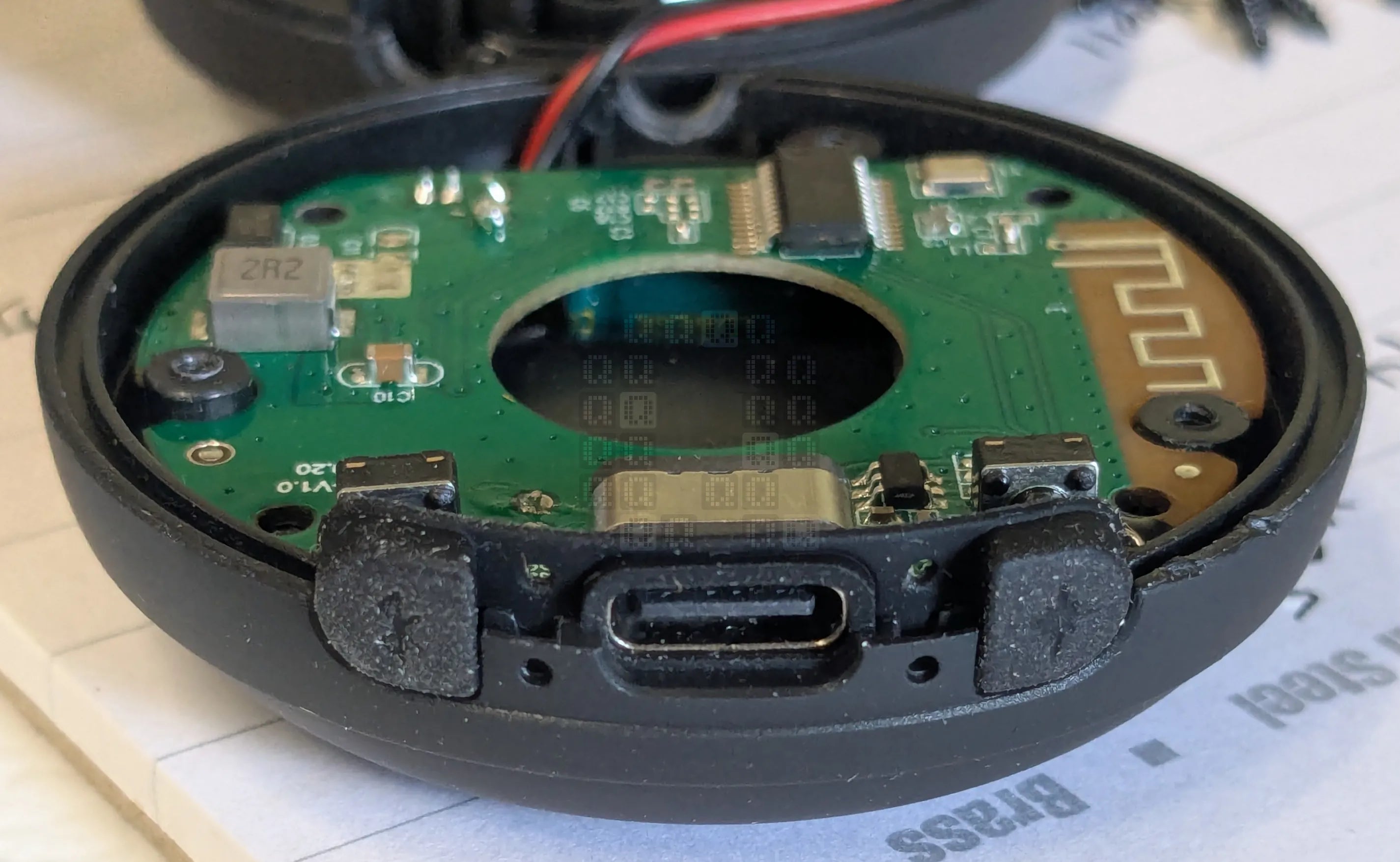
After replacing the switches, I tested it again. Everything seemed to be working, so I assembled it. As a note for everyone else: make sure you put the rubber button cover back in the correct orientation. (The image above shows the incorrect orientation.) The indicator LEDs cannot shine through if the holes are blocked. This resulted in an extra complete disassembly to correct the mistake.
At this point the repair is basically complete. Unfortunately, I spent a bunch of time troubleshooting and diagramming the circuit when the problem was really quite simple. Anyway, hope you enjoyed the teardown, even if the story doesn't have an impressive repair solution at the end!